 Image licensed by Ingram Image/StockPhotoSecrets
 Image licensed by ConnectWise
 Image licensed by Ingram Image/StockPhotoSecrets
5 Red Flags Of Phishing Emails: Think Before You Click
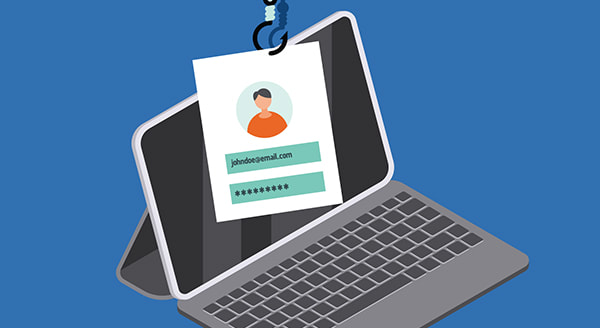
A single click can be the difference between maintaining data security and suffering massive financial losses. From the moment just one employee takes the bait in a phishing email, your business is vulnerable to data breaches and extensive downtime.
Quickly spot the red flags and put phishing emails where they belong!
Discuss securing your business against costly phishing attacks at (651) 686-0515 or fill out our contact form!
1. Poor Spelling & Grammar
While occasional typos happen to even the best of us, an email filled with errors is a clear warning sign. Most companies push their campaigns through multiple review stages where errors are blitzed and language is refined. Unlikely errors throughout the entire message indicate that the same level of care was not taken, and therefore the message is likely fraudulent.
2. An Offer Too Good To Be True
Free items or a lottery win sure sound great, but when the offer comes out of nowhere and with no catch? There’s definitely cause for concern. Take care not to get carried away and click without investigating deeper.
3. Random Sender Who Knows Too Much
Phishing has advanced in recent years to include ‘spear phishing’, which is an email or offer designed especially for your business. Culprits take details from your public channels, such as a recent function or award, and then use it against you. The only clues? The sender is unknown – they weren’t at the event or involved in any way. Take a moment to see if their story checks out.
4. The URL or Email Address Isn’t Quite Right
One of the most effective techniques used in phishing emails is to use domains which sound almost right. For example, [microsoft.info.com] or [pay-pal.com].
Hover over the link with your mouse and review where it will take you. If it doesn’t look right, or is completely different from the link text, send that email to the bin.
5. It Asks For Personal, Financial or Business Details
Alarm bells should ring when a message contains a request for personal, business or financial information. If you believe there may be a genuine issue, you can initiate a check using established, trusted channels.
While education is the best way to ensure phishing emails are unsuccessful, a robust spam filter and solid anti-virus system provide peace of mind that your business has the best protection available.
Discuss securing your business against costly phishing attacks at (651) 686-0515 or fill out our contact form!
Could Your Backups Survive A Ransomware Attack?
More and more businesses and organizations are getting stung by ransomware demands. Hospitals, schools, social networks . . some days it seems like an epidemic that leaps around arbitrarily, and hackers are raking in millions.
Tallied across the world . . . billions.
Ransomware attacks are devious in their simplicity. A user in the target business is tricked into opening a file, usually through a phishing email or download. The file contains malware which instantly encrypts your data and demands money in exchange for the password.
No Payment = No Password = No Data
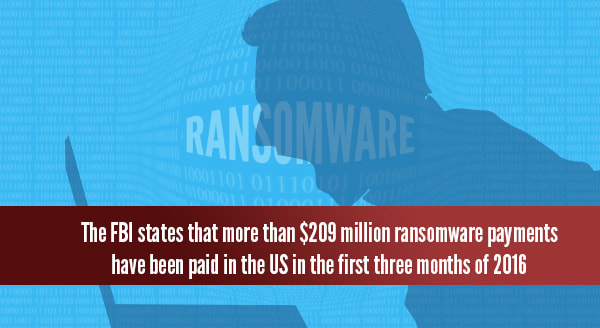
All of the target businesses should have backups, which they could simply revert to without paying any money, but the FBI reports more than $209 million was sent to hackers in the first quarter of this year alone. Keep in mind, this was just payments within the US, and only counts those who came forward.
Last year it was only $25 million.
Aren’t Backups Helping?
Sometimes the backup solution fails and the data can’t be retrieved. This is particularly true in cases where the solution has been in use for years and something failed along the way.
In other instances, the target business has a backup that can be restored, but it doesn’t include everything they need for full recovery.
Finally, and the most common reason so many businesses are forced to pay the ransom: the ransomware attack affects the entire system – including attached and synchronized backups. If the backup is also caught in the ransomware encryption, it becomes useless as a recovery method and the only options are to pay or lose the data forever.
Each day spent trying to recover the data is a drain on valuable business resources and in many cases, results in massive revenue loss.
The only defense is to block the malware before it can infect the first workstation, and then continue the protection with a comprehensive backup strategy for all workstations and servers.
Discuss securing your business against ransomware at (651) 686-0515 or fill out our contact form!
10 Reasons To Upgrade To Microsoft 365 Today
With an upgrade to Microsoft 365, businesses are finally getting the changes they actually want! It’s still Office, and your staff will still know exactly how to use it, but they’ll get so much more done.
1. The Mac / Windows Drama Is Over
Microsoft 365 brings with it a stack of benefits, but perhaps the most relieving is the built-in file compatibility across all platforms. No more converting (or corrupting) files back and forth, and productivity black holes have essentially been eliminated.
2. Always Ready To Go
Microsoft is so confident in its cloud-based software and data storage that they’re giving a 99.9% uptime guarantee. You can even call a real-life human for support (like the team at Sovran). Work online, offline or mobile – the choice is yours.
3. Built-In Security
A large part of Microsoft’s uptime certainty comes from their extremely robust security protocols. Microsoft 365 offers enterprise-grade admin controls at your end, as well as government-grade security at their end.
4. Generous Data Allowances
Each user gets 1 TB of cloud space for file storage, which can be shared at the folder or file level. For some perspective, 1 TB can hold approximately 85 million pages of Word documents.
5. Work Anywhere, Anytime
Previously, staff needed to establish a VPN or manage security concerns to do their tasks while offsite, which made working difficult and cumbersome. Microsoft 365 has solved that problem, and working from anywhere is now easy!
6. Integrated Organization
Calendar, email, and contacts are all synced and updated across multiple devices: laptop, desktop, and mobile.
7. Huge Mailbox Storage
Forget the days of ‘user mailbox is full’ – each user is given a whopping 50 or 100 GB in a gorgeous, easy-to-use mailbox.
8. Built-In Malware & Spam Protection
Data security doesn’t stop at file storage: each email is scanned for malware and spam, protecting your organization from all manner of attacks before they happen.
9. Collaboration Tools & Virtual Meeting
Cancel your third-party services and bring all your collaborations into one platform – meeting schedule, calendar, malware protection, video conferences, planning, and more.
10. Integrated Team Planning
Schedule tasks, meetings and track allocations from a top-down level to know exactly how projects are progressing.
Upgrade To Microsoft 365 Today
Talk to us about your Microsoft 365 migration and setup today at (651) 686-0515 or fill out our contact form!
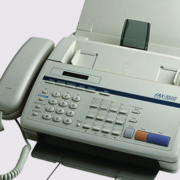
Businesses: Replace Copper POTS Communications Lines Now
A shift in telephony years in the making is nearly here: Plain Old Telephone Services (POTS) are shutting down in August.
Copper telephone lines, which mostly serve businesses fax machines, fire alarms, security alarms, emergency phone systems, and other legacy systems, will need to be updated or replaced by August 2, 2022, according to FCC Order 10-72A1.


FCC Order 10-72A1
In 2019, the FCC issued Order 19-72A1 that removes protections that allowed services like POTS to continue being used. This order removed those protections after a three-year period, which expires on August 2, 2022.
With less than five months until copper wires must be completely phased out, small businesses, rural businesses, those who use fax machines, copper-based fire and security alarms, and more need to be prepared to plan and act accordingly. If they don’t, they may run into major problems at the end of this summer.
 POTS Replacement Solutions
The team at Sovran, led by President Traci Leffner and vCIO Shonn Twight, is ready to help you avoid problems with the switch from copper. Our excellent engineers are ready to help your business maintain lines of communication and safety.
We know it’s painful to change equipment, but fiber and coaxial lines may be cheaper than copper in some cases.
Talk with our team today at (651) 686-0515 or fill out our contact form to get ahead of the curve and find the best solution for your business.
3 Types Of Cyberattackers Putting Business at Risk
Cyberattacks and data breaches happen worldwide, and no one is immune. Your business needs to protect its networks and systems, and secure sensitive data.
But how much do you know about the types of cybercriminal out there? This roundup discusses the biggest threats and what they’re after.
1. Cybercrime Gangs
Online crime is a lucrative industry. Cybergangs go online to offer “crime as a service.” Their targets vary and can be spread out globally.
In 2019, one international crime gang stole $100 million from more than 40,000 victims. Culprits were found in the US, Bulgaria, Germany, Georgia, Moldova, and Ukraine. Victims included small businesses, law firms, international corporations, and nonprofits.
Many of these bad guys may have started out in the digital environment, but well-established street gangs are turning their attention to cybercrime too.
Typically well-funded and -organized, cybergangs work long-term to mount large-scale attacks. They target banks, law firms, healthcare networks, and other big businesses.
Still, small businesses can be targeted by cybercrime gangs. You could be the first domino to compromise a larger, more lucrative target in your supply chain.
2. State-based Actors
One nation pays an individual or group to target another country. On the digital battlefield this could mean:
- tampering with an election;
- infiltrating another country’s banking system;
- compromising critical infrastructure;
- accessing intelligence;
- creating incidents of international significance;
- engaging in propaganda or disinformation campaigns; and,
- espionage.
Australia recently announced a “sophisticated state-based cyberattack” on political and private-sector organizations.
State actors also used cyber techniques to damage Iran’s nuclear program. They left an infected thumb drive in the parking lot. A well-meaning staffer found the USB and plugged it into the facility computers. The virus caused Iran’s fast-spinning centrifuges to go into overdrive.
These attackers are often motivated by nationalism, but this doesn’t mean businesses are safe. A politically motivated cyber actor might target a hotel hosting an international convention or gain access to a government vendor to send false communications.
3. Lone Wolf
Also known as disorganized crime, this is the online equivalent of a petty thief. Many make their income stealing money from low-hanging targets.
Some Lone Wolves are only interested in proof-of-concept: hacking into businesses and governments to see if it’s possible, without doing any damage once they are inside.
3 Types Of Cyberattackers Putting Business at Risk
Now that you better understand why your business might be targeted, it’s time to take the necessary steps.
A managed service provider can help solidify your cybersecurity stance. Our experts can set up email security, remote access management, anti-malware scanning, and more.
Talk to us about your cybersecurity options today at (651) 686-0515 or fill out our contact form!
