
Avoiding Growing Pains — Tech Tips for a Thriving Business

Picture

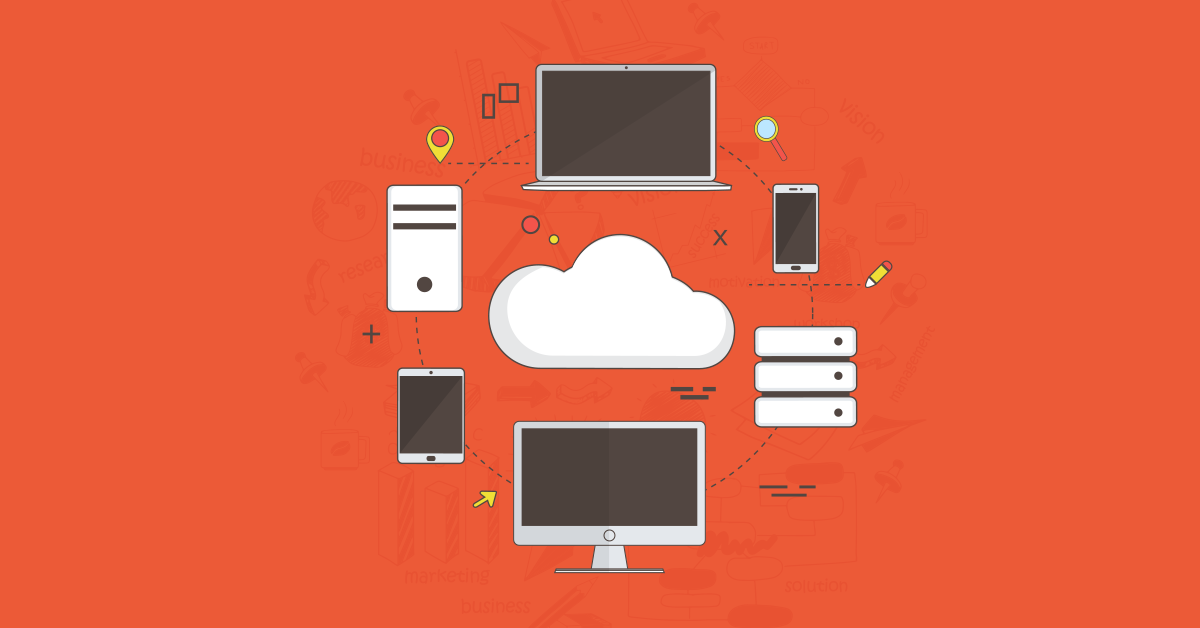
Maybe you started your business in a basement or home office. It was just you at the beginning. Then, your service or product gained traction. The number of staff grew, and you moved into an office. It’s amazing how far you’ve come. Better still, your business continues to grow. It may be time to consider some of these tech tips to help your thriving business.

1. Upgrade to Business-Grade Cloud Services

Perhaps you’ve been relying on free software from Gmail, Outlook, or Dropbox. Who can argue with free email, calendars, collaboration and file storage right? Well, it may be time to upgrade to the business versions of the software your team relies upon.

Move from Gmail to Google Apps, or Outlook to Microsoft 365, or Dropbox to Dropbox Business. For a small monthly fee, you gain business-grade features.

The basic Google Apps offers business email, video and voice conferencing, secure team messaging, shared calendars, 30GB cloud storage and document, spreadsheet and presentation creation. Plus, you gain greater security and administration controls. Right now, a disgruntled employee could refuse to give up control of a business account.

You’d be out of luck. With Google Apps, your business would control all accounts and could simply reset the password.

Or Dropbox Business provides added storage space and user activity and sharing auditing. Unlimited file recovery and version history make recovery easier. A remote wipe feature protects files on a stolen device).

2. Revise Your Backup Strategy

A consumer grade backup setup was enough when you were only dealing with one computer. Now that you have many computers, it’s worth enhancing your backup strategy.

With 3-2-1 backup, your business has a minimum of three backups. Two would be onsite (but separate from one another) and the other offsite. We recommend the cloud. Having your backups in a unified location helps efficient recovery if disaster strikes. With cloud backup, your data is encrypted for storage in the cloud. You can set parameters for how often data is backed up and confirm that it is backing up correctly. Then, if something does go wrong, you can access essential data from anywhere, anytime via the cloud.

3. Consider Cloud-based Accounting Services

Traditional small business accounting software requires a large database on the desktop computer. As more people need access to the database, the problems start. With multiple people accessing the accounting software:

  • The network can slow when people try to access it remotely
  • Changes can’t be made while someone else is in database
  • Data can get mismatched depending on who has the “newest” version

Cloud-based accounting packages address these challenges. With online accounting software, it’s easy for your business to scale. Business owners can connect to the data from any device with an Internet connection. Plus, in the event of a disaster, productivity won’t suffer as the information is safe and secure on the cloud.

4. Outsource Your IT

Your expanding technology allows you and your staff to do more than ever before. Great. But it also takes extra resources to monitor, manage, and secure it all. By outsourcing IT, your business gains IT expertise. Meanwhile, your in-house IT team can focus its efforts on driving growth.

Outsourcing IT also provides long-term cost savings by reducing downtime, cutting infrastructure costs, and improving security to avoid costly cyber-attacks.

Keep your business growth in check with an eye out for value-adding initiatives.

Talk to us about your cloud services options today at (651) 686-0515 or fill out our contact form!

Is A Slow Network Getting In The Way Of Your Business?

Picture

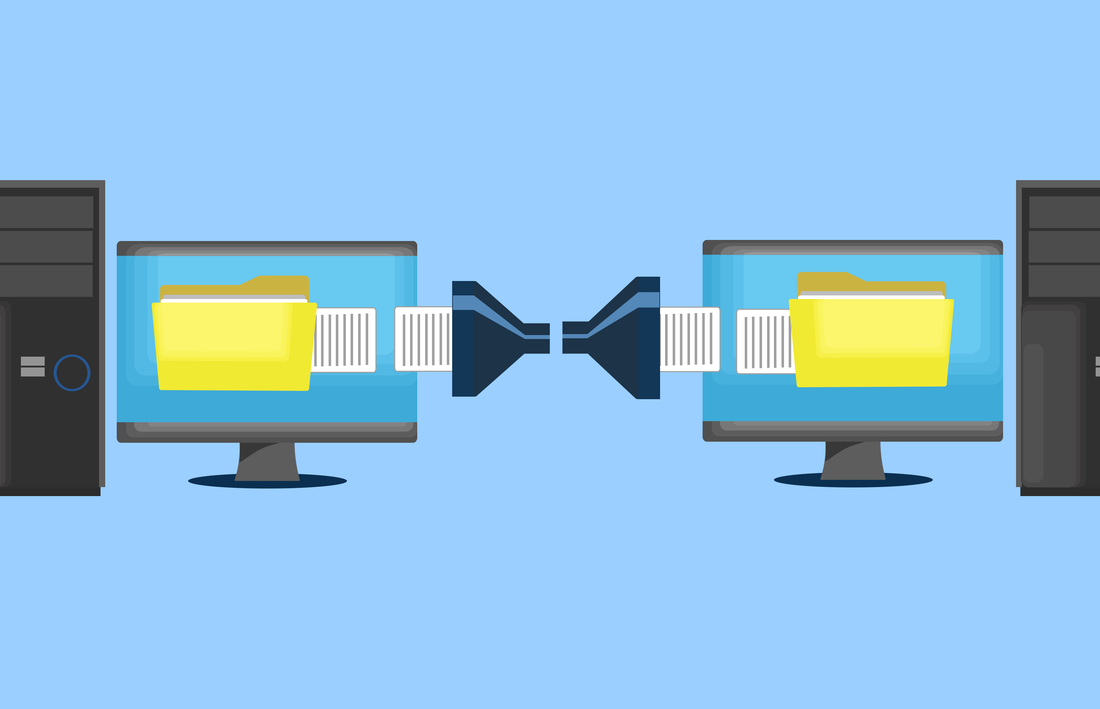
Very few things in life are as intensely frustrating as slow network speeds. Whether accessing a shared database, sharing files between computers, or sending a file to print; waiting for transfers can seem to take an eternity. Worse still, these business breaks can keep both clients and staff waiting and get in the way of the productive business day.

How Do Networks . . . Work?

Every time you save or retrieve files from another computer or network storage device, file transfers have to be made over the network.

Depending on your IT setup files can pour over the network with the ferocity of a fire hose, or trickle between machines as if dripping through a drinking straw. Poor network speeds are often a critical bottleneck that slows down the entire IT system.

If a slow, frustrating, and unreliable network sounds like your office setup then there are many available solutions we can use to help.

Often, offices maintain networking hardware that is as old as the premises they are in or the businesses themselves. Components can be left in place long after their suggested expiration date. If it isn’t broken, don’t fix it commonly rules as long as some working connection, however slow, still remains.

Yet, outdated hardware in key areas can often slow the entire system down. Even when the rest of the network is capable of ultra-high speeds, a single bad component can bring the entire network to a crawl.

Sometimes if it isn’t broke, it still might not be working to its full potential. Even peripheral devices throughout the network can cause traffic to slow. A badly installed device may become lost from the network or send out an overwhelming number of messages that spoils network traffic.

Defense against errors and vulnerabilities is more simple than many think. Often just one or two small upgrades is all that is needed to unlock the full speed potential of the network.

How To Make Your Network Faster

On-Premises Solutions

For some businesses adding a dedicated server is an ideal solution that can balance the IT workload. Access to centrally shared resources often benefits the entire organization by eliminating redundancy. A network server is built with efficiency and reliability in mind to keep your business running at full capacity. By pooling resources for everyone to use, work is evenly shared and centrally available to prevent bottlenecks in the system. Reduced network loads, improved efficiency, and faster transfer speeds mean that higher productivity becomes the new normal.

Off-Premises Solutions / Cloud Solutions

Moving resources outside of the office can work for many businesses too. Where high speed, low-cost internet services are available, moving your work into the cloud can be a highly cost-effective solution. Software packages such as QuickBooks offer finance and accounting packages for operating in the cloud. Similar Suites such as Microsoft Office offers services for creating and sharing documents with cloud resources. Both packages eliminate the need for many of the network operations that we use every day.

For many applications such as QuickBooks huge databases sometimes gigabytes in size are required. It is these types of applications where the advantage of the cloud becomes clear. To use this locally, huge database transfers keep the application up-to-date daily. These transfers across a local network are time-consuming and clog up vital resources for the firm. Yet, the same application in the cloud requires only a simple web page for each user. Instantly, looking up finances and editing documents becomes as simple as checking your email. With services moved to the cloud purchase cost and maintenance of expensive network hardware are reduced too.

A complete network solution that works to make the most out of all the available resources is unique to every business. Only a tailored solution to address your network needs will increase your productivity.

Talk to us about your cyber security options today at (651) 686-0515 or fill out our contact form!
How to Stop Social Engineering Attacks On Your Business

Picture

You can have top-notch IT security in place, but there is still one danger: social engineering. It’s the old kid on the block, but most of us have never heard of it. Perhaps the more familiar term is ‘con’: the art of manipulating people to take certain actions or divulge private information. Social engineers are a special type of hacker who skip the hassle of writing code and go straight for the weakest link in your security defenses – you or your employees. A phone call, a cheap disguise or casual email may be all it takes to gain access, despite having solid tech protections in place.
Here are just a few examples of how social engineers work:

Email Social Engineering

Pretending to be a co-worker or customer who ‘just quickly’ needs a certain piece of information. It could be a shipping address, login, contact or personal detail that they pretend they already know, but simply don’t have in front of them. The email may even tell you where to get the data from. The hacker may also create a sense of urgency or indicate fear that they’ll get in trouble without this information. Your employee is naturally inclined to help and quickly sends a reply.

Phone Social Engineering

Posing as IT support, government official or customer, the hacker quickly manipulates your employee into changing a password or giving out information. These attacks are harder to identify and the hacker can be very persuasive, even using background sound effects like a crying baby or call-center noise to trigger empathy or trust.

In-Person Social Engineering

A delivery man uniform gets past most people without question, as does a repairman. The social engineer can quickly then move into sensitive areas of your business. Once inside, they essentially become invisible, free to install network listening devices, read a Post-it note with a password on it, or tamper with your business in other ways.

It’s impossible to predict when and where (or how) a social engineer will strike. The above attacks aren’t particularly sophisticated, but they are extremely effective. Your staff have been trained to be helpful, but this can also be a weakness. So what can you do to protect your business? First, recognize that not all of your employees have the same level of interaction with people – the front desk clerk taking calls all day would be at higher risk than the factory worker, for example. We recommend cyber-security training for each level of risk identified, focusing on responding to the types of scenarios they might find themselves in. Social engineering is too dangerous to take lightly, and far too common for comfort.

Talk to us about your cyber security options today at (651) 686-0515 or fill out our contact form!

3 Steps To Make Meetings Better

Image of conference room with screen at head of table and six chairs for meetings.

Image of conference room with screen at head of table and six chairs for meetings.

Business meetings can be a double-edged sword. Often they are as likely to rally staff and build momentum as they are to halt progress and kill productivity.

Productive meetings are key to keeping team members on track and everyone on the same page. A poor meeting is as harmful to the progress of a project as losing multiple members of staff.

Making meetings better is important for good business. There are tools and techniques to make sure that your meetings are not standing in the way of your business.

1. Streamlined Scheduling

One of the biggest hurdles to planning a meeting can be simply booking a space. Finding an available room, with the right equipment, in a time and place which everyone can agree on can be a logistical nightmare. Repeated emails back and forth to agree on the venue alone can consume hours out of the day.

There are technical tools available to help. Outlook’s scheduling assistant can be a great place to start. The office package is designed to help you find a time and place convenient for everyone.

The software is a key, but underused, component within Microsoft 365. Simply adopting a scheduling assistant can cut down meeting planning from hours to minutes.

With everyone fully connected and on the same page, every meeting is improved from the first minute. The scheduling assistant can be found under New Items > Meeting in the Outlook home tab.

2. Bringing in Outside Help

Of course, not all meetings are internal affairs. Often, a successful meeting involves staff members from third-party organizations, clients, and consultants too.

This is a prime area for technology tools to help. Tools such as FindTime and Doodle.com both serve as scheduling assistants to arrange suitable times and locations to coordinate meetings with multiple parties.

The process is simple, each party selects available or desired times to meet. This process is done independently and based on priorities for each user. When everyone has added their input a mutually convenient slot can be found for everyone.

With modern technology there’s no reason to spend hours, or even many minutes, wrestling over when and where to meet. Using the tools as they are designed cuts out a huge amount of overhead cost from meeting planning.

3. Idea Capture

The most common complaint staff have about business meetings is the lack of available participation. Many show up, yet just feel like audience members.

When staff members feel their contribution or input to projects isn’t valued, it can lead to a dramatic drop in morale and much deeper issues within the firm.

Tools such as GoWall.com are changing meetings for the better and giving staff members a bigger voice. The site provides attendees with the resources they need to contribute to meetings without disrupting the flow.

The idea behind GoWall is very simple and highly effective. While concepts are communicated as part of a presentation or ongoing conversation, participants are free to contribute to an “idea wall” in real time. This shared wall contains ideas, contributions, and notes from all participants that add to the conversation.

Since ideas are shared between all participants, everyone can be inspired to contribute. This deceptively simple idea helps all members to feel they have a chance to have their voices heard and their contributions valued.

Worthwhile Meetings

Meetings can be a difficult topic in some workplaces. Some firms have had historic failures and huge losses in productivity as a result of too many meetings running far too long. In some environments, formal meetings have all but been banned already.

Using modern technology solutions, we can put productivity back into meetings. Cut out the wasted time and get to the points that matter. With these simple yet highly effective tools, we can build meetings that create productivity instead of hampering it.

Contact us today at (651) 686-0515 or fill out our contact form!

Using Tech to Tailor Your Work Day

Picture

Most of us can admit that we have lost track of time during the workday on occasion.  Sometimes time can get away from you, particularly when you’re busy.  Often you can be running late before you know it and wondering where the day has gone. Luckily, there is a wide range of technology solutions to put to work helping to put you in charge of your to-do list.

Microsoft 365 Calendar

We’re often guilty of spending the entire day stuck just in Outlook.  In addition to taking up your time, there are a range of features that can help you make the most of it too.  With simple tools and tweaks, you’ll be able to manage your calendar like a pro.

Microsoft 365 Calendar allows you to make quick changes, alter your diary, and update items on the go.  The Calendar interface allows events and items to be picked up and moved to a different time or date with ease.

Many think of calendar packages in terms of old desktop applications of years gone by.  Events, once input, were almost impossible to change, alter, or remove.  In old applications it was easier to go without a calendar at all than attempt to use the one included.

The biggest advantage Office calendar has is the ability to access and update it from anywhere.  With 2-way sync appointments, meetings, and events can be updated anywhere and accessed everywhere.  The days of no longer being able to look at your calendar because you’re not at your PC are long gone now.

Today you can add events straight from your email with a simple click.  Participants in events can be contacted with reminders automatically.  You can even schedule your own reminders before the event too. Using your calendar to stay on top of your day has never been easier.

OneNote

Microsoft 365 additionally offers OneNote too, an indispensable tool that you shouldn’t do without.

OneNote acts as a virtual notebook to keep your ideas, projects, and notes in line. Using OneNote enables you to power-up your text with drawings and diagrams, tailor your projects with color coding, and record your thoughts with media clips all in one location.

OneNote is the ultimate record keeping tool that you simply can’t go into a meeting without. Physical notebooks begin to seem like a relic of the past, limited by old constraints that no longer apply.

Microsoft To-Do

Included with Microsoft 365 is Microsoft’s To-Do application. To-Do offers simple, straightforward to-do list that makes it easy to plan your day.

Whether plotting your school work, planning your projects, or keeping on top of your home life, To-Do is designed to boost productivity and make the most of your time. The simple interface makes it easy to use and the instant reward for checking of tasks makes it well worth your while.

To-Do sorts your tasks into lists, which are combined into a single day view. The view of your day provides a clear, clutter-free list of tasks to be done. The application syncs with all your devices to give you access from anywhere. This empowers you to quickly add, change, schedule, and tick off tasks as you go.

Keeping On Top Of The Day

Losing track of time is easy to do. It doesn’t take much before your day seems completely off-balance and impossible to retrieve. With these tools from Microsoft 365 and a tiny bit of planning, your days can become more productive than ever.

Back on track, you’ll no longer have to spend your free time making up for lost time. Your spare time will be your own again and everyone will wonder how you manage to remain so productive.

Give some tech tools a try today and you’ll wonder how you ever managed without them. Contact us today at (651) 686-0515 or fill out our contact form!

How to Securely Dispose of Old Computers

Picture

Getting new computers for your business is exciting, but what happens to the old ones? Depending on the age, some people sell them, others throw them out. That’s the easy part. The problem is the sensitive data on them. There are passwords, account numbers, license keys, customer details, medical information, tax returns, browser history…. the works! Each computer, whether laptop, tablet or desktop, contains a treasure trove of sensitive information that cybercriminals would love to get their hands on.
Unfortunately, hitting delete on your files doesn’t actually make them disappear, nor does waving a strong magnet over the drive. These mistakes have cost businesses millions of dollars over the years.

Most businesses are unaware that specialized data cleanup is necessary, others think calling someone to collect the computers will cover all the bases. A 2016 experiment proved just how dangerous the situation can be when they bought 200 used hard drives and found 67% held unwiped, unencrypted sensitive data, including sales projection spreadsheets, CRM records, and product inventories. Frighteningly, they didn’t need any special hacking skills to get this data, it was all right there and helpfully labelled. It’s also not surprising that with simple data recovery tools, people have also been able to access British NHS medical records and missile data, all waiting patiently on a discarded hard drive.

Why hitting delete doesn’t help

Data on a hard drive works like a book with an index page. Every time data is written, it pops a quick entry into the index so when you need it again, it knows where to look. The index is used for files you create as well as system files you can’t even see. Sensible, right? Except if you delete a file it’s more like changing the index to say nothing is on page 10 and you can write something else there when you’re ready. But if you manually flip to page 10, you’ll find the information is still there – the file still exists until it’s been written over – it’s the index reference that got deleted.

Wiping data before disposal

There are software tools you can get to do it yourself, as well as dedicated security firms, but your best option is to choose an IT business you know and trust. With that in mind, a methodical approach is required to ensure not a single drive is left untreated. You don’t want to leave data behind, or even clues that a motivated person could extrapolate any private information from. The approach might include using checklists to maintain security, or dedicated processes to guide each step in decommissioning. Careful records should also be kept, including who signs off on completion of the retirement, and where the computers are sent afterwards. A proper inventory and auditing process may slow the rollout of the new computers slightly, but it’s always better than having your old data come back to haunt you.

We can migrate any needed data, backup the information to your server or external drive, then wipe or destroy the hard drives for you. We can assess the age of your old computers and either dispose of them for you or point you in the right direction of computer recyclers. Plus, the quicker you dispose of your old computers, the easier the process will be. Recyclers will be able to send less of your equipment to landfill, and you’ll be less likely to forget how valuable the drive contents are.

Upgrading your business computers should be a happy time for you and your employees, so with a little forward planning, you’ll be able to keep everyone smiling and all your data secure.

Contact us today at (651) 686-0515 or fill out our contact form!

4 Common Compliance Issues You Might Be Missing

Picture

Information security is on every business’s radar these days. Data drives so much of what we do. Looking to contain the risks, many sectors have established IT compliance regulations. Whether meeting a standard or not, don’t overlook these common areas of concern.

Governments and regulatory agencies have established compliance standards for the financial, legal, healthcare, and energy sectors. Other organizations abide by best practices for data protection and improving system security. Whether mandated or not, the goals remain similar:

  • Improve security protocols.
  • Identify vulnerabilities.
  • Prevent breaches.
  • Reduce losses.
  • Increase access control.
  • Educate employees.
  • Maintain customer trust.

Shortcomings can mean compliance concerns, industry fines, customer churn, and brand reputation damage. Being proactive about these four common issues can benefit companies in any industry sector

Common Issues that Thwart Compliance

Companies with Bring Your Own Device (BYOD) policies save $350 annually per employee, according to CISCO, but cost savings aren’t the only reason organizations are embracing BYOD. Letting people use personal mobile devices at work improves productivity and engages employees.

Yet allowing BYOD in the work environment can make the organization more vulnerable. There is greater risk of:

  • spread of malicious applications or viruses;
  • employees accessing business materials using unsecured Wi-Fi;
  • people who have left the company continuing to have access to proprietary systems.

None of these are good from a compliance point of view.

Personal portable devices may not have the same access controls as business computers, which makes them more vulnerable if lost or stolen.

This brings us to a second common compliance concern: physical security. A business may do a brilliant job of securing its devices on-site. It has firewalls, patches security regularly, and asks employees to update passwords, but what happens if a laptop, mobile phone, or USB drive is stolen or lost?

All devices accessing business systems and networks from off-site should use encryption. With remote monitoring and management, IT staff can control security configurations regardless of the end-user environment. Mobile device management allows your IT team to secure, locate, or erase any mobile device used for business.

Counting on Others for Compliance

Another area of concern is third-party connections. Again, your business may be top of the class as far as the five core functions of cybersecurity – Identify, Protect, Detect, Respond, and Recover – are concerned, but what if your vendor’s security isn’t up to snuff.

Do you have business partners that are storing your sensitive data? Or does a supplier have access to personally identifying customer or employee information? Third-party risk is a real thing – ask Target. Cybercriminals stole data for 40 million debit and credit cards via the retailer’s HVAC company.

Cybercriminals could use a third party’s lax security to target you. Make sure that your vendors are taking cybersecurity as seriously as you do.

Even in your own business environment, cut the number of people who have access to sensitive data. Obviously, you’ve hired people you think you can trust, but you can still better ward off the insider cybersecurity threat by:

  • educating employees about the importance of strong passwords, securing devices, and physical security;
  • informing people about social engineering (e.g. phishing emails or fraudulent business communications);
  • limiting personnel access to data, network, or systems based on necessity;
  • having a policy to revoke access permissions and reclaim devices from any employee leaving the company.

Ensuring compliance takes technological know-how and awareness of the evolving threat landscape. This vigilance, communication, and education require time and effort. Put the right policies and procedures in place with our help.

Contact us today at (651) 686-0515 or fill out our contact form!
Why Managed Services Will Save You More Than Money

Picture

“Downtime costs money.”

That’s no secret, but it doesn’t quite capture the whole experience…you arrive to work in the morning, grab your coffee knowing you’ve got a hectic day ahead, and are ready to dive in.

For some reason your computer can’t access the database and neither can anyone else’s. You restart the server while fielding calls left, right and center, but are unable to answer any client queries. Your hands are completely tied…and now the server is beeping furiously…what’s going on??!

You’re not just in crisis mode, you’re on damage control as you call every tech you can think of, trying to find one who can come NOW.

Not exactly the day you had planned.

The Break/Fix Days Are Gone

Previously, businesses only addressed their IT needs when something broke. A few hours down meant little in the scope of things. In today’s fast world, businesses rely heavily on IT and downtime just isn’t an option. Even the legalities of simply restoring financial, legal or medical files after a breach raises issues.

The cost of break/fix is now too high, both financially and emotionally.

Simply put, your IT services are remotely monitored and proactively managed by a professional, external business. Your Managed Service Provider (MSP) runs regular diagnostics on equipment to identify impending failure and resolves problems before they happen.

Benefits of Managed Services

Small to medium businesses in particular benefit from managed services, because they don’t usually have an on-site technician to oversee the multiple systems in use. By subscribing to a managed service provider, businesses can have reduced labor costs, access to a knowledge base, future-pacing, better data security and reduced downtime. Businesses can also know exactly what their upcoming costs are and plan accordingly.

Some of the managed services we can provide are:
Remote support – This allows us to help you quickly without needing to be on-site.
Hardware monitoring – We monitor your servers and workstations to catch hardware failures before they happen.
Managed anti-virus – We make sure your anti-virus is up to date and take immediate action if an infection occurs.
Patch management – We make sure your computer’s operating system is up to date, closing access to known vulnerabilities as soon as possible.

Contact us today at (651) 686-0515 or fill out our contact form!
Sovran Earns Microsoft Azure Gold Cloud Platform Certification

Sovran has achieved Gold certification in Cloud Platform competency from Microsoft. This is the highest standard achievable for Microsoft’s Azure cloud platform, which has become so necessary for daily business as work-from-home becomes more common.

​Sovran has been a local Microsoft Partner in the Twin Cities for nearly 30 years, and has been a proponent of cloud computing for business needs for a long time.

​Traci Leffner, President of Sovran, noted the importance of cloud: “We know how critical Microsoft Azure is to our client’s business needs, so we make ongoing training a priority. I’m proud of our team and what we continue to accomplish.”

Shonn Twight, virtual Chief Information Officer (vCIO) at Sovran, says clients will directly benefit from the new skills learned and information available from Microsoft. “Azure cloud services are integral for so many businesses in the Twin Cities today. Having the ‘Gold Cloud Platform’ certification gives us access to even more specialized training and additional support to serve clients better.”

Microsoft Partner logoSovran, Inc. is a full-service IT project solutions provider and managed services provider for the Twin Cities and Upper Midwest. Based in Eagan, Minnesota, our services include cloud migration, virtualization, hosted networks, disaster recovery, networking, security solutions, storage, infrastructure assessment, remote work, and more. Sovran has been a Microsoft Partner since 1993, with Gold Cloud Platform, Gold Cloud Productivity, and many Silver certifications.


Returning to Work: Prioritizing Safety with IT, Too

Picture

A small business probably doesn’t have staff qualified to handle IT. You’re never too small to outsource your technology needs and prevent security breaches.

Your business has the OK to go ahead and get back to work on-site. You want to return to your office, but you don’t want to risk people’s health by doing so. After all, some say it’s too soon to go back. Plus, others predict a second wave of COVID-19 is likely. These suggestions can help you return to work while prioritizing safety.

Not everyone will welcome the call back to the corporate environment. Some employees may still be in a population vulnerable to the virus. They may want to take leave instead of returning to the work environment. Others may simply not show up.

Have your HR team send out a written notice informing employees of the timeline for returning to the office. Educate them about precautions you’re taking to provide a safe work environment. Ask for a written response of people’s intentions. Then, IT can start establishing procedures for getting everyone back to work.

You may have had great success with remote working during the quarantine. This could position you to allow workers to stay home if they are at risk or oppose the idea of returning “too soon.”

For those coming back, support social distancing by phasing in people’s return. Your business could also use a hybrid IT solution to allow people to come in just three days a week, and they could continue to work two days at home. This allows staggered re-entry and reduces the numbers of people on-site at the same time.

Back-to-Work Technology

You may be thinking you already have all the tech you need to go back to the office. C’mon, you were already working from there before this whole thing started. Plus, now you have all the new tools you added to support remote-employee productivity.

Still, you may not have invested in a long-term remote-work solution that will now support a hybrid model. Or perhaps the on-site tech you’ve long relied on isn’t meant to handle remote working for the long haul.

To achieve a flexible hybrid model, go with cloud solutions or expand on-site IT. Do you need to add infrastructure to handle remote employees using virtual private networks (VPNs)? Both on-site staff and off-site workers might need to securely access systems at the same time.

Adopting cloud collaboration software allows co-workers to access network resources simultaneously, regardless of location. Or with virtual desktops, employees can access the same files and business applications on their work machine or on a personal device.

Bringing people back to the office, you’ll want to rethink the physical setup. Support social distancing by spreading employees’ seating arrangements out more. This will require moving around computer hardware, too.

If you were previously sharing technology, you’ll also need to add more desktops. Or you might invest instead in more laptops or portable devices. This could mean securing more software, too.

Added IT Precautions

Finally, cybercriminals are opportunistic. They’re already exploiting people with malware promising vaccines or cheap masks. These bad actors are also looking to exploit the tech demands on businesses. Many businesses adapted to a new way of doing things: they moved files to the cloud, and they allowed employee access from personal devices, but they did so quickly.

Explore any new vulnerabilities from your transitions. This is a good time to double-check permissions. Ensure that accountant Jane can access staff wage data but that receptionist Jenny can’t. Also, confirm that all virus protection and security patches are current.

Active planning is the answer to a smooth return to work. While offering protective coverings and ramping up cleaning in the office is important, make sure that you don’t overlook your technology needs.

Contact us today at (651) 686-0515 or fill out our contact form!